related project

LiveGuard

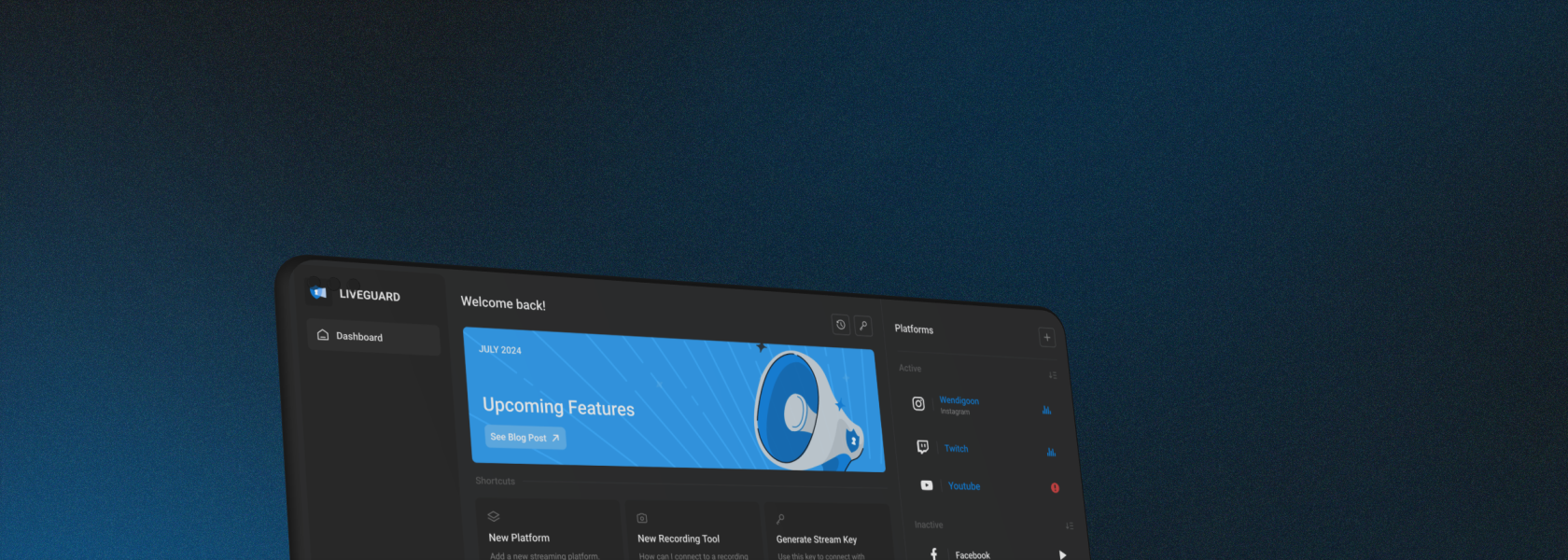
LiveGuard is a cloud-based, real-time AI editor whose goal is to protect content creators during livestreams. My roles were UI/UX design, prototyping, and branding.

Date

August 2023 - PRESENT

Tools

Figma, Figjam

The Team

1 Product Designer
01. the goal

Integrating AI with livestreams to create a real-time editing service.

demonetization

Removal or restriction of one's ability to earn revenue from their content due to violations of platform policies or content deemed inappropriate for advertisers.

A very, very common challenge faced by content creators, especially livestreamers, is demonetization due to platform sanctions. These rules become stricter every year- especially for content giant Youtube- a move widely critisized by both content creators and viewers alike. Content creators must make sure their content is squeaky clean, or days of their hard work can become fruitless from one small mistake.

LiveGuard aims to upgrade the live streaming experience by automatically censoring these events while they occur. By seamlessly removing undesired and unpredictable audio and video in real time, streamers can avoid platform penalties with minimum effort. Consequently, the automation of the creative process will save both time and money for its users.

02. our solution

Creating a web application that seamlessly integrates with the existing streaming experience.

Action

A video or audio segment which the user wants to censor.

*Custom triggers & video triggers not supported in MVP

Event

Refers to the Action and Reaction (censorship) together.

Streaming Profile

A collection of Events, which the user activates.

*Removed from MVP

03. 1st iteration

Initial Requirements

Proposed features (Client)

Although the features for the MVP were redefined and reduced later on, the original designs were created to encompass these features and requirements:

Requirements

As a streamer, I want to use simple controls that can be activated/deactivated mid-stream.

As a streamer, I want to see analytics on censorships.

As a user, I want an intuitive flow to connect LiveGuard with external applications.

As a user, I want to see a clean and monochrome UI.

Features

In-stream controls in the form of an overlay.

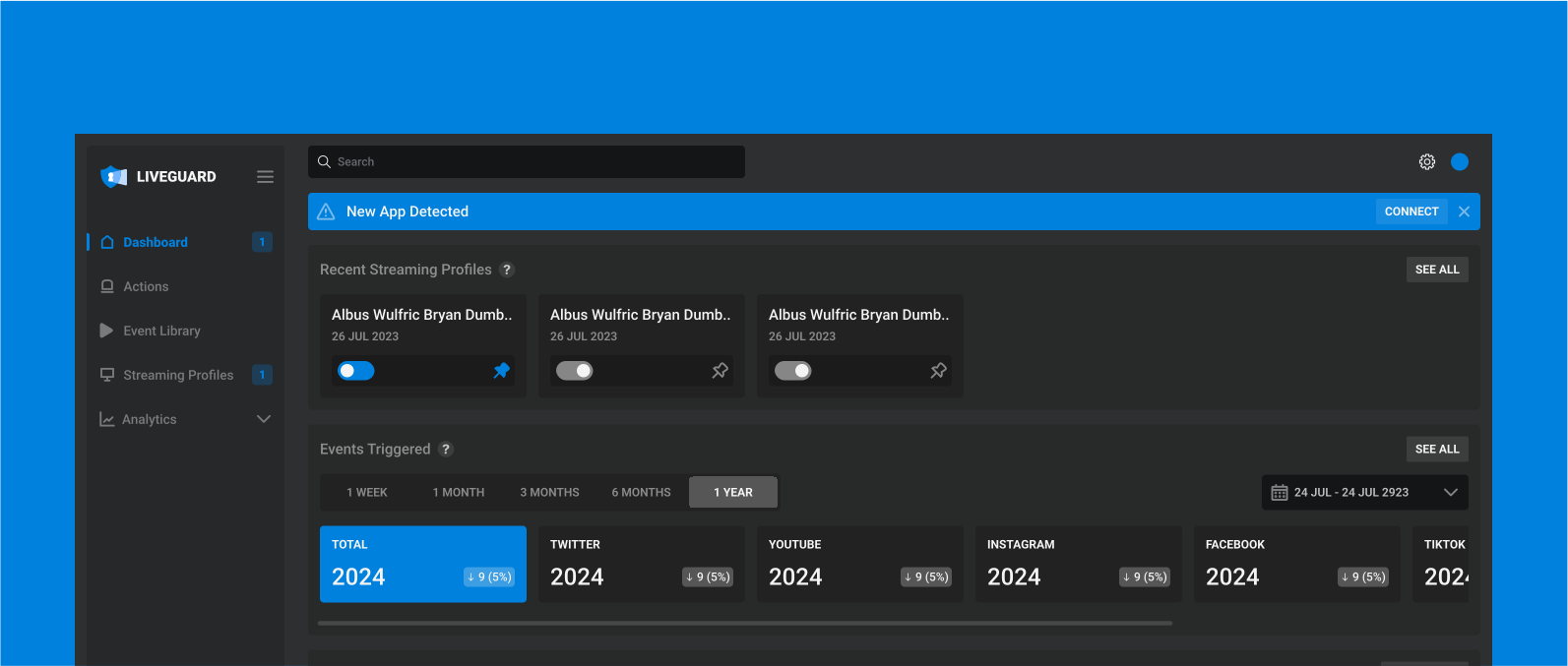
A Dashboard to display the different sets of events, a preview of the analytics, and a quick search functionality.

A page to see sets of events, refered to as Streaming Profiles.*

A Triggers library, including an option to create custom triggers.*

An Events library, including an option to create events (by connecting an Action with a Reaction).*

An Analytics page.

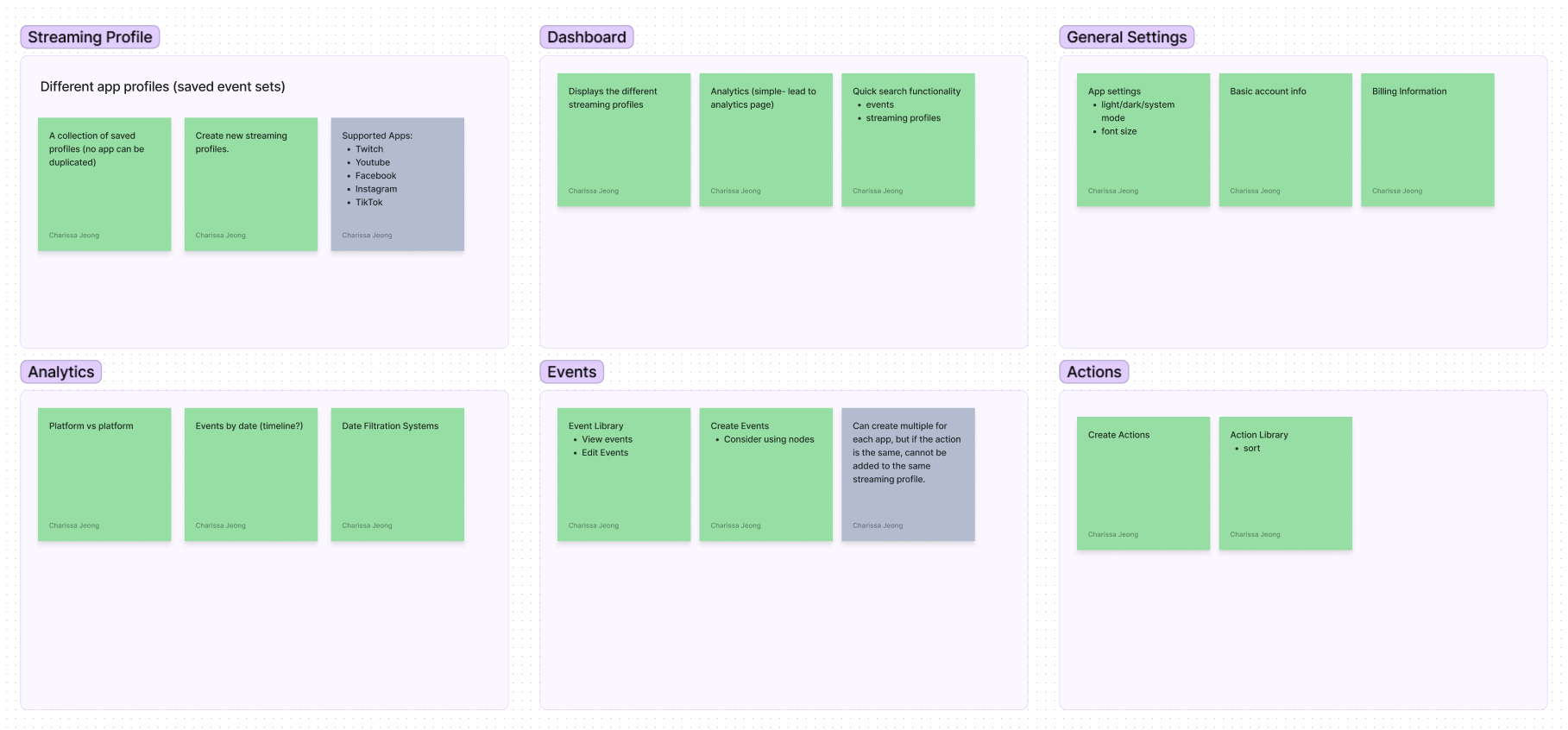
Refining proposed features with card sorting

Although this is the stage where I would start competitive research, the unique functionalities of the application meant there were no previous points of reference. Instead, the proposed features were refined across multiple meetings between myself and members of the team who had experience live streaming.

User Persona

To better understand the audience, I defined the general user persona and checked it over with the team before proceeding.

Christie, 24

Twitch, Youtube
Streamer & Content Creator

A part-time, medium-sized content creator. Her content includes vlogs, which she first streams on both Twitch and Youtube, then edits them herself to post on Youtube. She is frustrated by the amount of time she has to put in, rewatching her long streams to check for any case of violating Youtube's strict sanctions.

Pain points: too much time taken to edit potential mistakes, difficult to keep her vocabulary in check for the multiple hours she's streaming

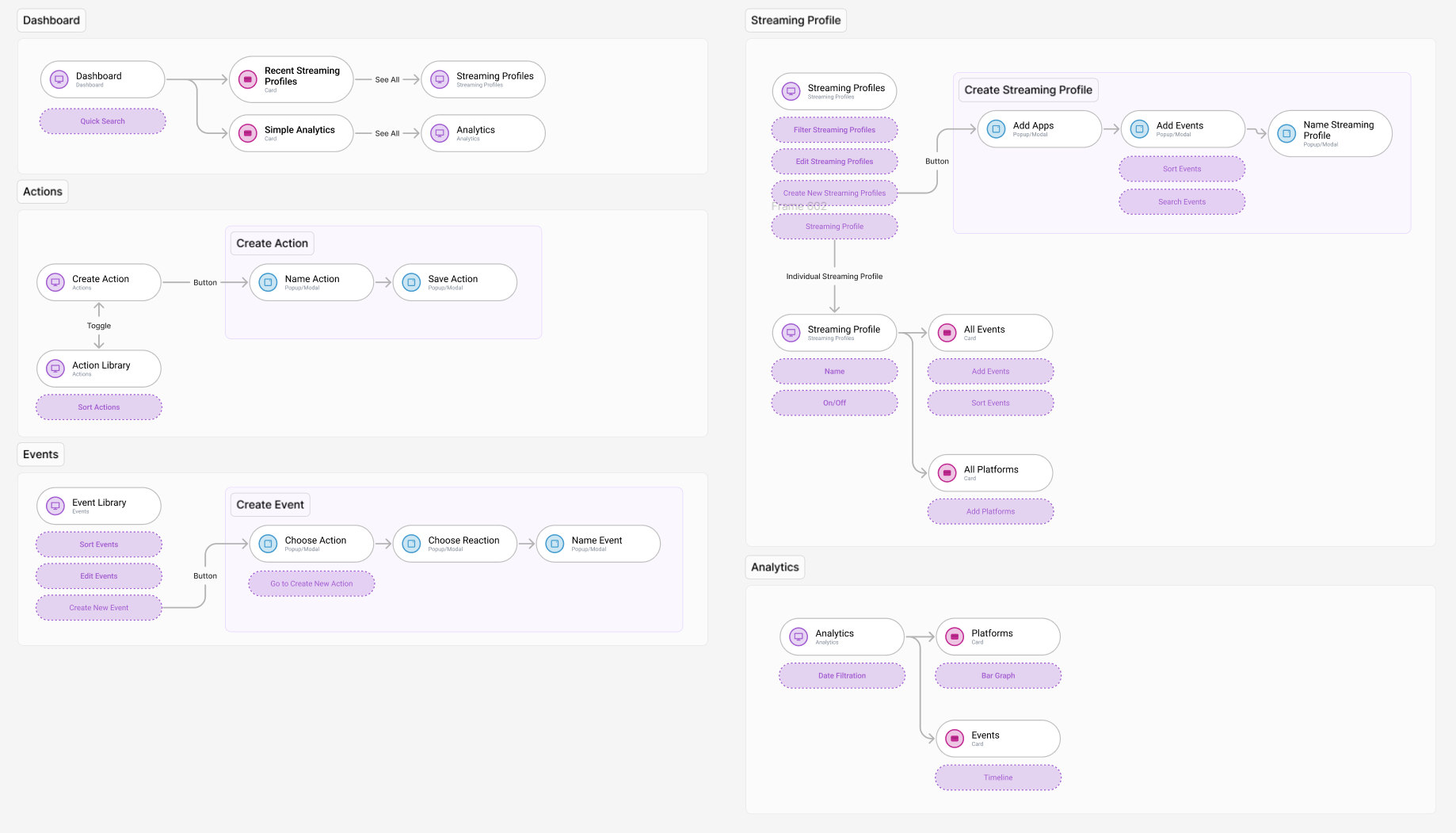
Initial User Flow

I created user flows in order to connect the selected features to the actual application. These flows were confirmed by the team before proceeding.

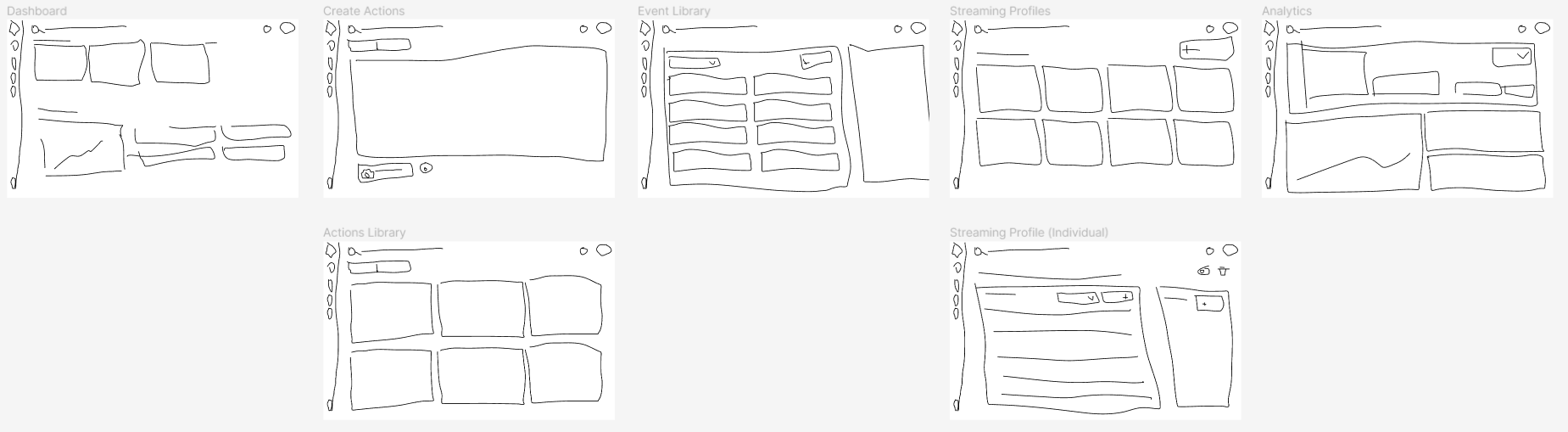
Initial Low Fidelity Sketches

I then created very low fidelity sketches on Figma so I knew what features would appear where. Since the creation stages of the UI were for my eyes only, they were pretty messy- however, they did the job, and I didn’t want to stress too long about staying on a stage when I was certain what it would look like. Pictured here are the early stages of the Dashboard, Actions, Events, Streaming Profiles, and Analytics.

Initial High Fidelity Prototype

04. issues arise

Updated MVP: Time and Resource Constraints

Time

In order to stay within the phases to release, we had to cut the number of things to do.

Resources

The development team were 5 developers who were mostly preoccupied with the machine learning side of the application.

Complexity

Since there were no examples in the market, the complex application may be too difficult for first-time users.

Although the project might appear close to completion, that was just the first iteration. Due to unexpected time constraints and lack of resources, the team decided to cut down the MVP requirements. Many features were shelved with promises to implement them later down the line. Multiple important changes were made in order to accommodate these issues.

05. 2nd iteration

Updating Features with Card Sorting

A new, simple list of features were selected based on meetings with the rest of the team and myself, then further refined prviately. Some major changes made include:

The removal of custom Actions and custom Events. Events are, for now, pre-set and only include censoring swear words.

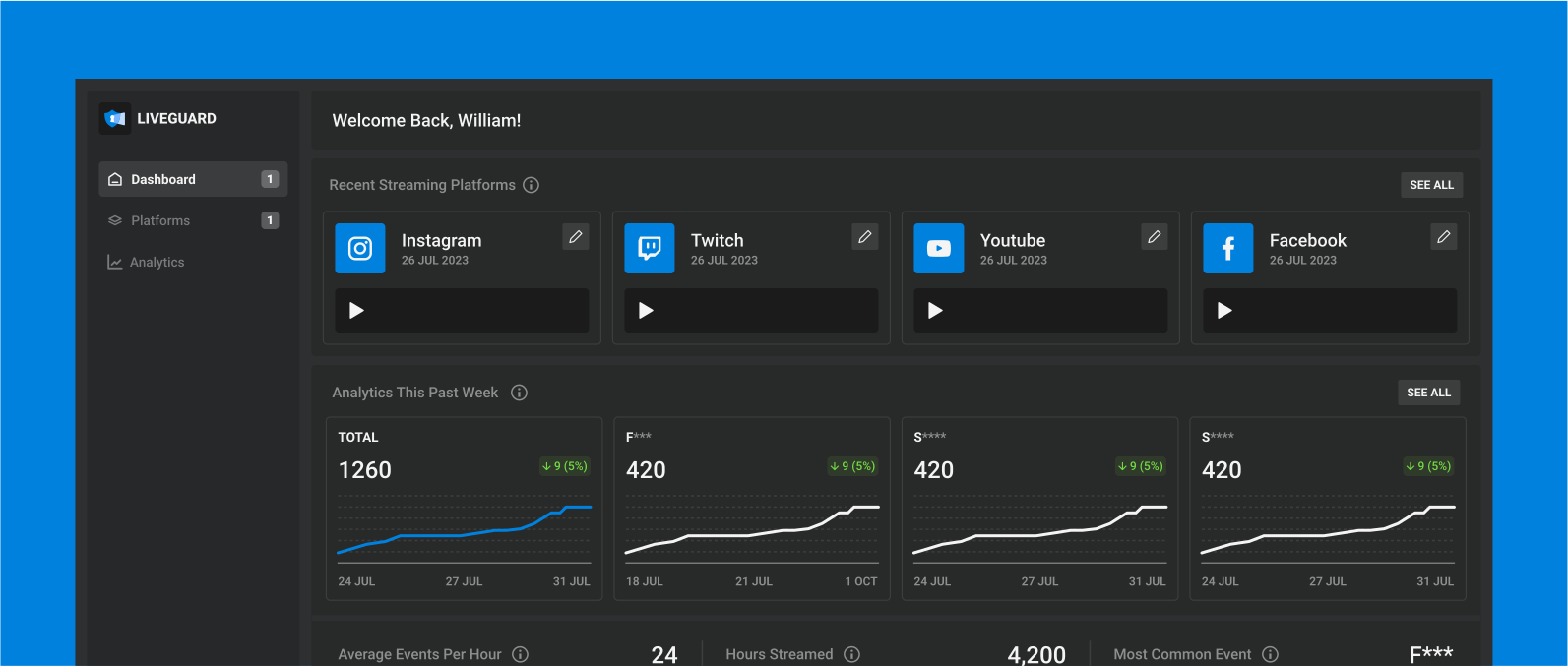
The replacement of Streaming Profiles (custom grouping) with grouping events by Streaming Platforms.

The removal of the quick search functionality due to the app size being too small for it to be required.

Updated User Flow

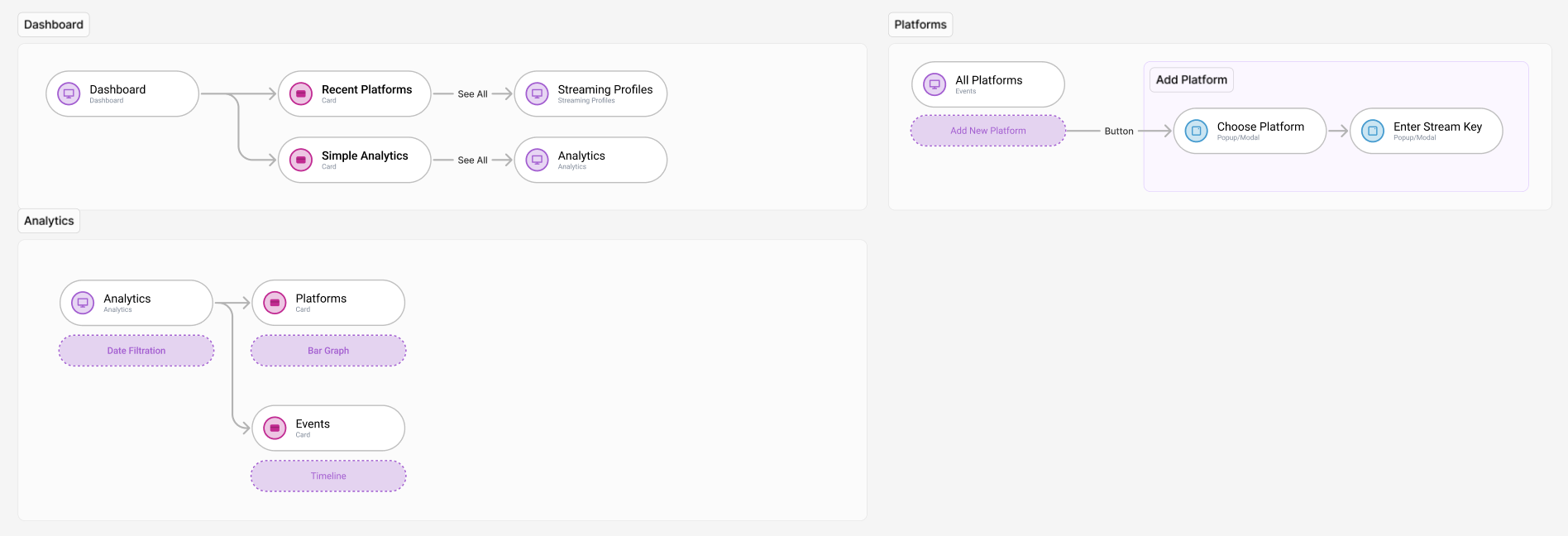
Based on the updated requirements and features, I created user flows. These flows were confirmed with the team before proceeding. Since I knew the UI would not deviate a great distance from the existing design, I did not create low-fidelity sketches again.

Updated High Fidelity Prototype

06. user testing

Improving MVP through User Tests

Individual Platform Overlays

Based on feedback, I changed the in-stream overlay from being general to platform specific.

Key binds and Positioning is now is platform-specific.

Updated Calendar Flow

Calendar flow was updated to be more intuitive and less clicks.

Editing from Dashboard

Since all users thought editing the stream key would be possible from the Dashboard.

The moderated user test was conducted with aquaintances who all have had some level of streaming experience. It allowed me to find several key flaws in the design. There were other updates, but these three made the greatest impact on the structure of the application. All three updates were made based off of paint points that were found throughout all three tests. Features which were brought up by only one or two users will be discussed and implemented at a later date.

07. the final update

Final MVP Scope Update Due to Technical Constraints

As the developer team continued to enhance the machine learning model, they discovered that our current list of features was still too ambitious for the number of hands on deck. A second MVP scope update was done- the previous processes were repeated, with the following information in mind.

No Analytics

The analytics page was removed altogether, although it is a feature that is going to be added back further down the line.

No In-stream Overlay

The in-stream overlay option was eliminated due to priority shifting, and therefore all customization menu options were no longer needed.

08. design system

Palette

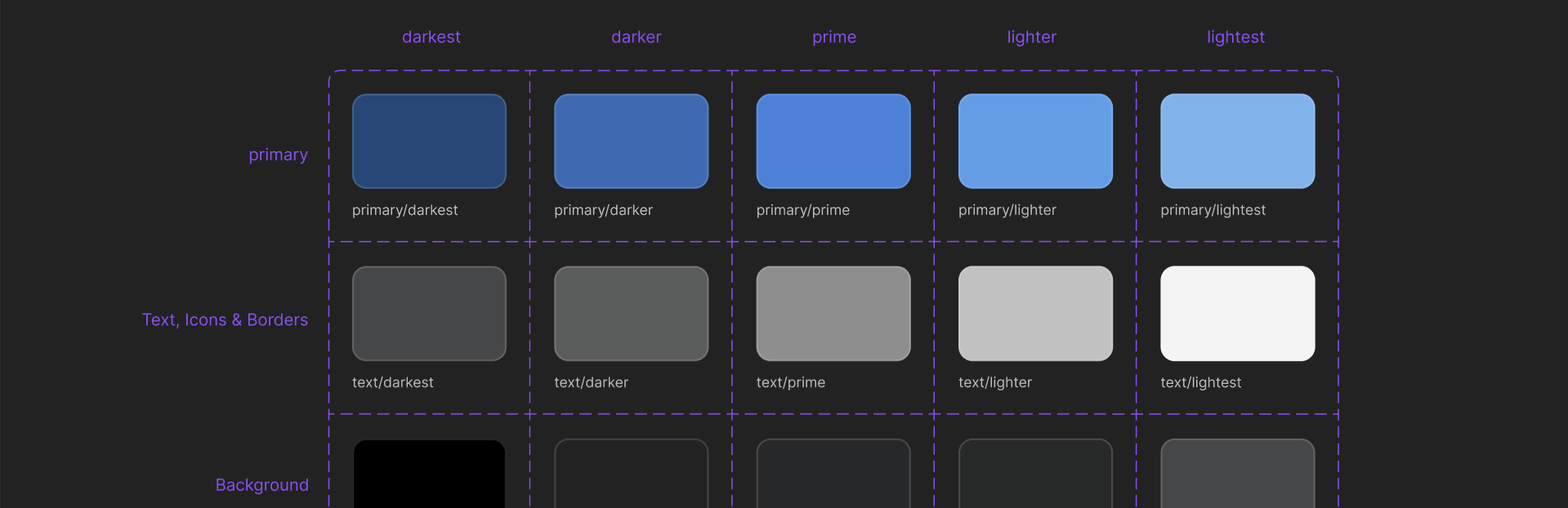
When I was choosing the branding colours for LiveGuard, I chose this particular shade of blue due to the colour's long-standing relationship with safety and protection (eg. police). The app was designed with a darkmode in accordance to the preferences of the intended users.

Typography

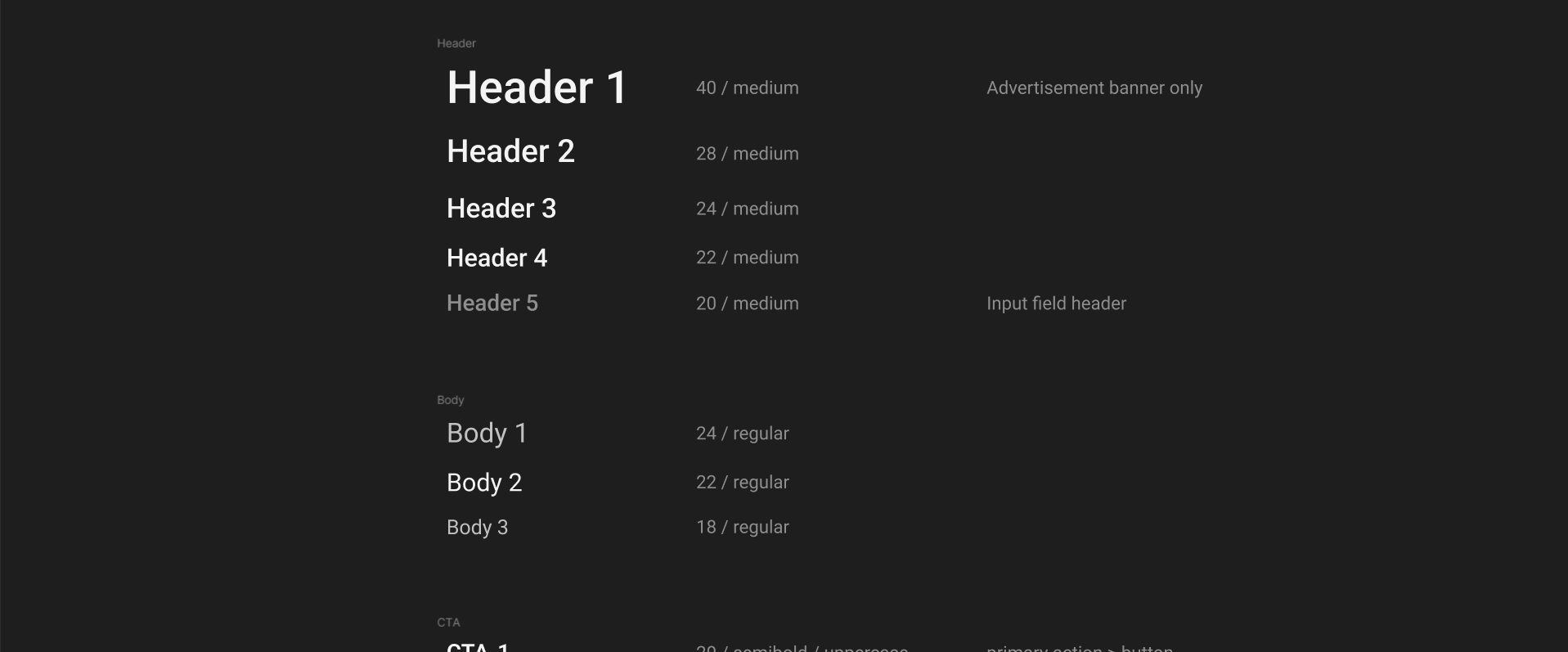
I chose a single, sans-serif font to reflect the simple and clean UI of the app.

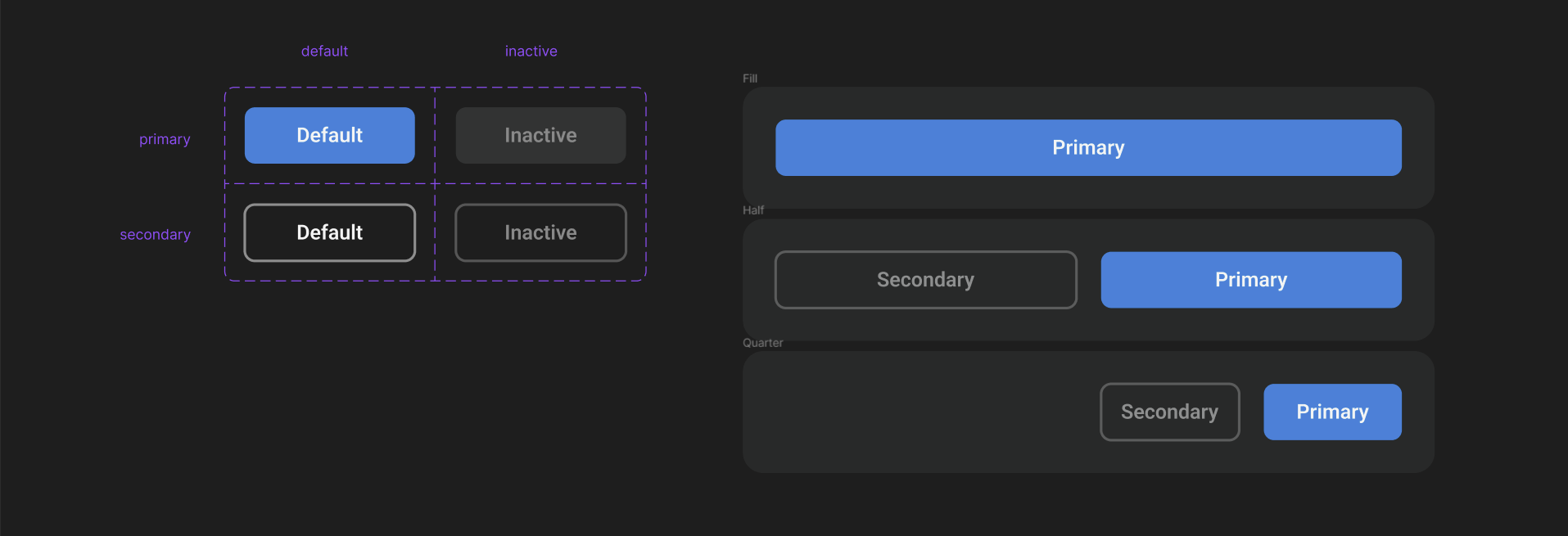
Components

The component library of LiveGuard is still under progress. Although I did create the designs with consistency in mind, due to the constantly changing designs, the library has yet to be finalized. However, it is currently a top priority, to ensure a smooth handoff to developers.

09. retrospective

Next Steps + Key Takeaways

Although this project is near completion, there are still grounds left to cover in the design iteration cycle. There are still several updates to be made from the user tests. My next steps will definitely include conducting more user tests, as well as exploring more edge cases and expanding the design system.
As my first freelance end-to-end project, I learned so, so much from the design process. Factors such as limited resources and unclear guidelines impacted the project far more than anticipated. I now have a better grasp on balancing the resources available with the MVP scope. If I was supposed to do this project again, I think I would emphasize on the importance of defining a realistic scope for the project earlier on, and spend more time discussing the limits with the team. While we may use the first iteration’s features in the future, it isn’t guaranteed.
Overall, LiveGuard is an awesome startup filled with a lot of cool people, please look forward to its launch in the future!